Kindred Creations Home                           Kindred Creations Shop                           Kindred Creations Facebook Page                                 Kindred Creations On Pinterest

Wednesday, May 14, 2014

Layout A Week Challenge: Week 16 Free Buttons and Bling!

I am falling behind, so there will probably be two layouts this week to catch up!

I am so, so ready for it to be summer, right now it is only 64 degrees here though (yuck!) Since it's cold I figured I might as well get a summer-ish layout done.


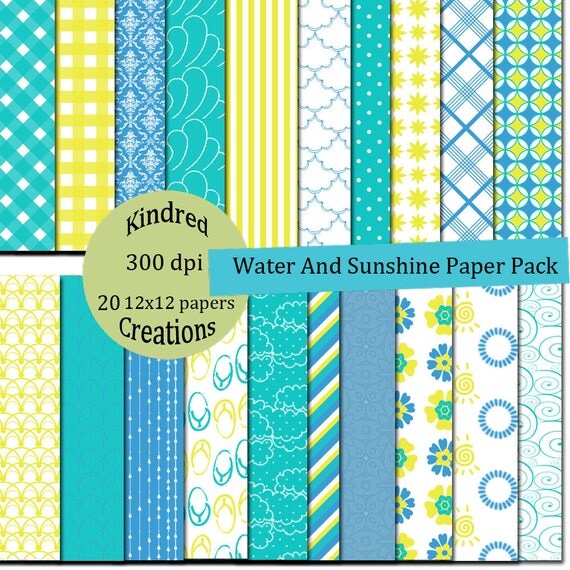
I used a patterned paper from the Water and Sunshine Kit. Which can be found in the shop.

As a freebie today, I am offering the buttons and bling that I made for the layout. To download them, click on the image, then right click and select save image as. Be sure to save it as a .png so it has a transparent background. Enjoy! 
~Becca


Sunday, April 27, 2014

Layout A Week: Week 15 Free Sketch!

I was looking at a scrapbook with my 7 year old, and he loved the layouts that told about specific everyday events. Knowing that, I am trying to be better about creating those layouts. So I did one this week. I had to "stage" the pictures, but I love that I was able to capture this small portion of what Kian and I do everyday.

The layout uses items from the:
Fall and Summer Tree kit


Doodled Arrows kit 


Build a Banner set. All found in the shop. 
And now for the freebie! To download the sketch, click on the image. It will bring up a new tab, then right click on the image and select save as and save it to your computer.

Sunday, April 20, 2014

Layout A Week: Week 14 Free Quick Page!

This quick page was made using The Bee's Knee paper pack and embellishment set, found in the shop.
Here it is with a picture of my "sweet" kiddo.

To download the quick page, click on the image below, then right click and select save as. Make sure to save it as a .png.

Monday, April 14, 2014

Easter Garland Freebie!


I wanted a simple, easy garland to dress up our stairway banister for Easter. So I made this out of paper!
The eggs are cut out then I used five eggs of the same color/pattern and folded them in half lengthwise.
You then glue one folded half the folded half of another egg piece and continue doing that until you get to the last open half. I used regular white curling ribbon. Put the egg on the ribbon where you want it placed then glue the last half on. For an even simpler garland just glue two eggs together with the ribbon sandwiched in between. I then added the bunny circles and flowers.

I've posted the eggs and bunny printables here so everyone else can make a garland too!


This one is just an outline of the egg shape. I used it to print onto some colored cardstock, so I would have some solid colored eggs too.

To download the printables, click on the image then right click and select save picture as to save it to your computer.

Enjoy!

Friday, April 4, 2014

Layout A Week: Week 13 Free Sketch

So I really struggled with inspiration this week, and finally decided I just needed to sit down and do something. So here it is:


I really just wanted something fun and bold to go with these pictures. ( To download the sketch click on the image, then right click and select save as)


Tuesday, March 25, 2014

Layout A Week Challenge Week 12: Free Easter Egg Clipart

I'm happy that Easter is a little later this year. I feel like it came and went too quickly last year.
I put together some simple Easter Eggs for everyone to enjoy.


To download the clilpart, click on the image, then right click and select save image as. Make sure to save them as .png images so they keep their transparent background.
This is the layout I created using them: 

I have one other project I am using these Easter eggs on. Hopefully I will finish it tomorrow!

Monday, March 17, 2014

Layout A Week Challenge Week 11: Free Quick Page

I wanted most of the focus to be on the picture for this quick page. After all we should all be focused on the birthday boy/girl on their big day!


To download the quick page. Click on the image, then right click and select save image as. Be sure to save it as a .png so that the background is transparent. Then all you have to do is add your photo!

Here is my layout: